Gear and planning
How We Use OnX Offroad
I'm Dan from Adventures 2 Ranta Bout. We wheel a 2021 Jeep Wrangler Unlimited Sport named Sucia out of Greeley, Colorado. This year that's meant Moab in the spring, the San Juans in September, and plenty of Colorado trails in between.
I tried OnX Offroad in the past and didn't like it. That was before I realized what it's better at: the maps part, and the overall visualization of the trail. This spring a Ford promotion with our F-150 got us a free year, and it's been riding along ever since.
OnX doesn't replace Trails Offroad. It has a different job, and on the trail the two run side by side. Here's how OnX fits into a day for us, from the drive to the trailhead to sorting the footage afterward.
Phone on the way, iPad on the trail
We plan our runs in Trails Offroad, and it gives you the option to navigate to the trailhead using OnX. When it's time to head out, we tap Directions to Trail, pick the starting waypoint, and open it in OnX. That's when we start recording our track.
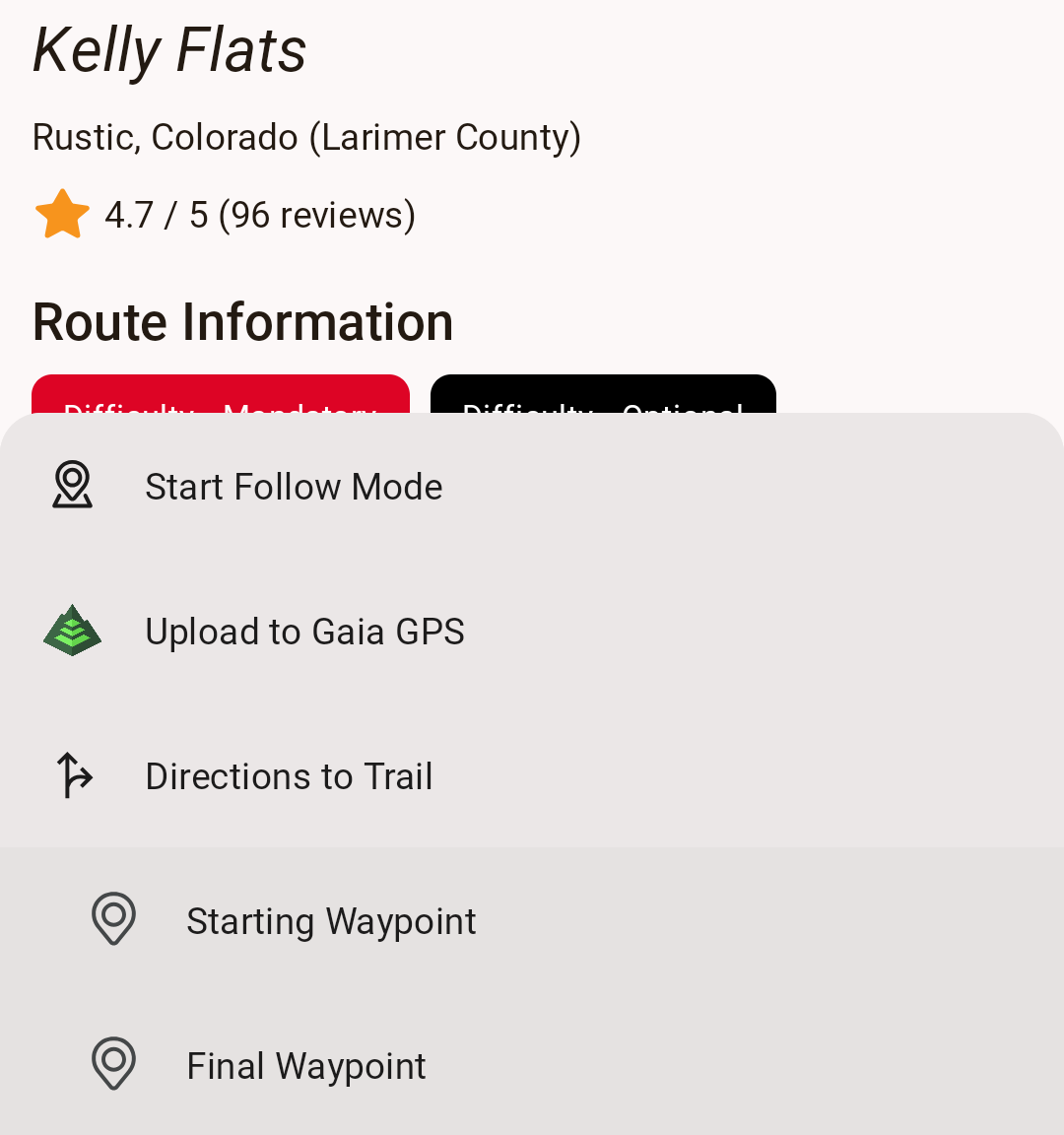
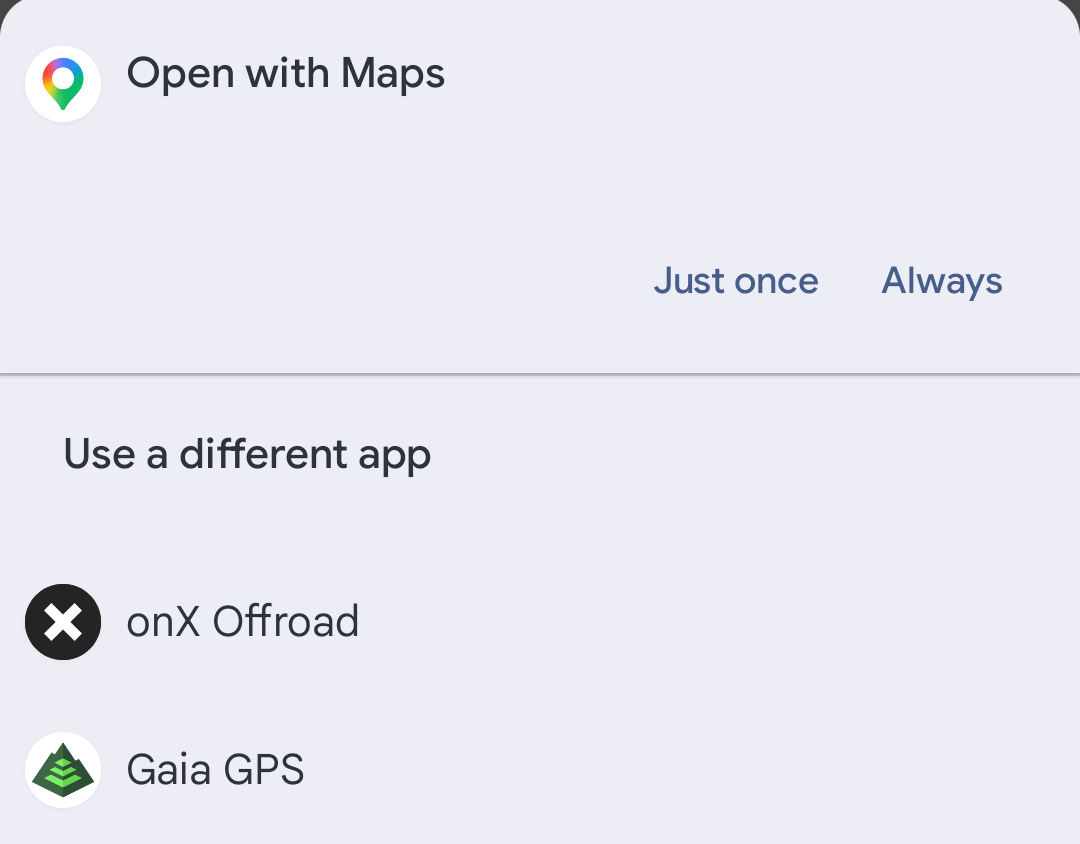
That's Kelly Flats: Directions to Trail in Trails Offroad, then OnX Offroad from the phone's list of map apps.
On the way, I typically run OnX on my phone. It takes less room on the dash than the iPad.
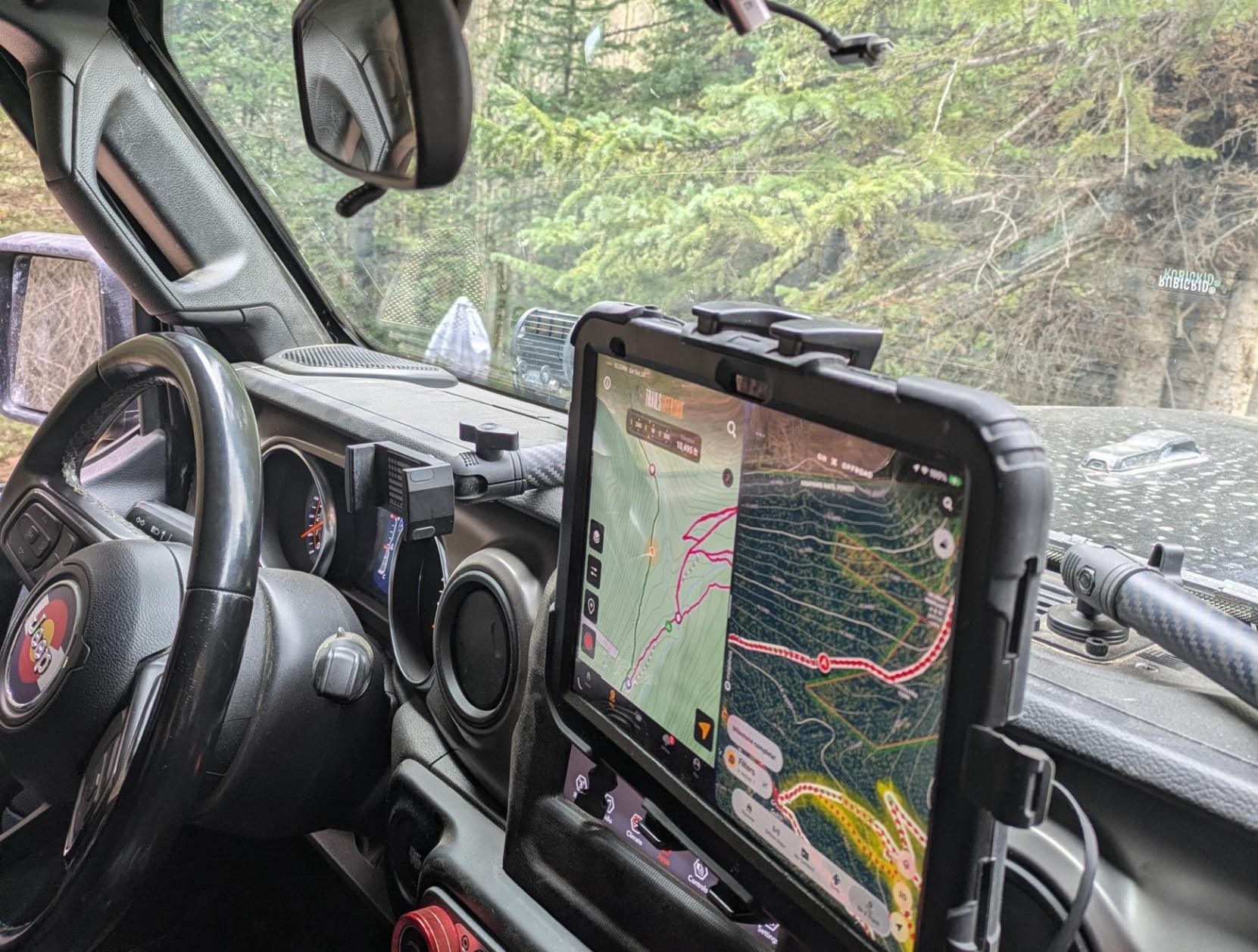
Once we're on the trail, the iPad goes on the dash with both apps on a split screen: Trails Offroad on the left, OnX on the right. Trails Offroad has the guide and the next waypoint, and typically we don't use the trail information in OnX. OnX is the map: the satellite view and our track as we drive it.
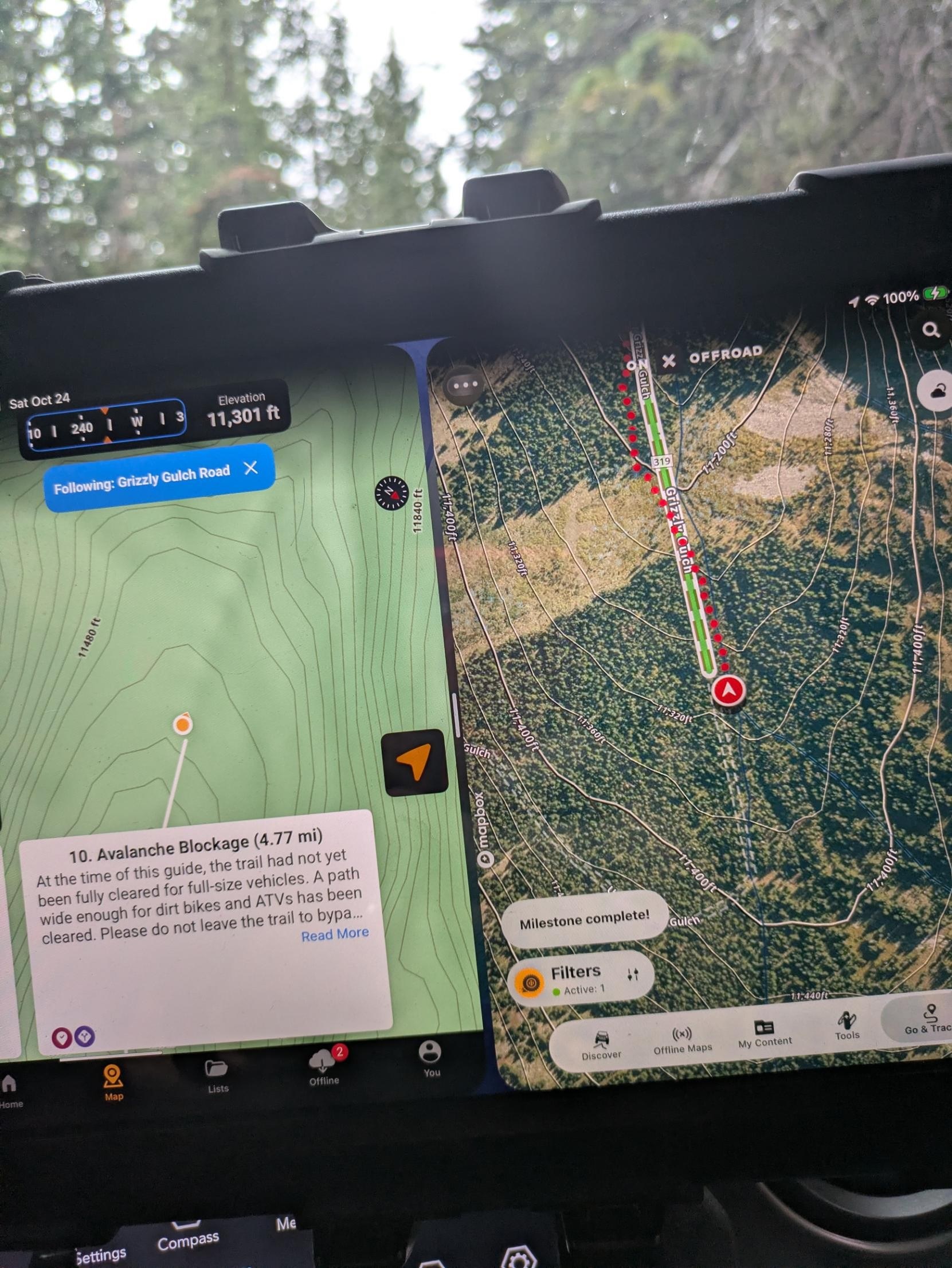
That's Grizzly Gulch on October 24, with Trails Offroad's waypoint 10 up: the avalanche debris near the end of its route. It was still narrow, but we got our JLU through. The whole day is in our trail log.
Get from one trail to the next
We use OnX for navigation off-road. Going from trail to trail can sometimes be a challenge, and OnX makes it easy, especially with Starlink.
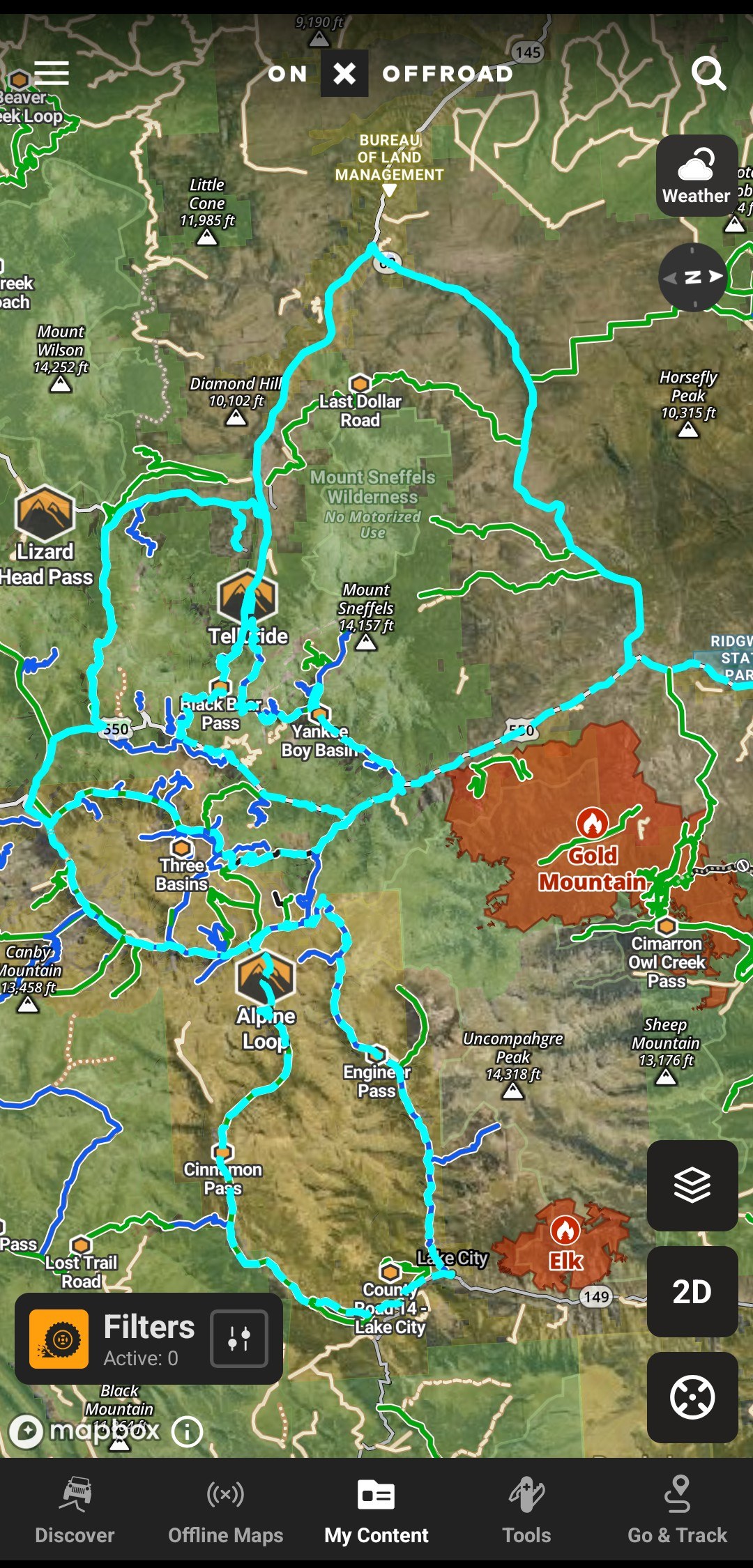
That's our San Juans trip in September, three days of passes on one map. Day one was Ophir, Hurricane and Poughkeepsie Gulch, day two Engineer and Cinnamon, and day three Imogene and Black Bear.
See the trail in 3D
The high-res 3D satellite imagery is super useful. It works from maps we downloaded before the trip, or live over Starlink or whatever data connection we have.
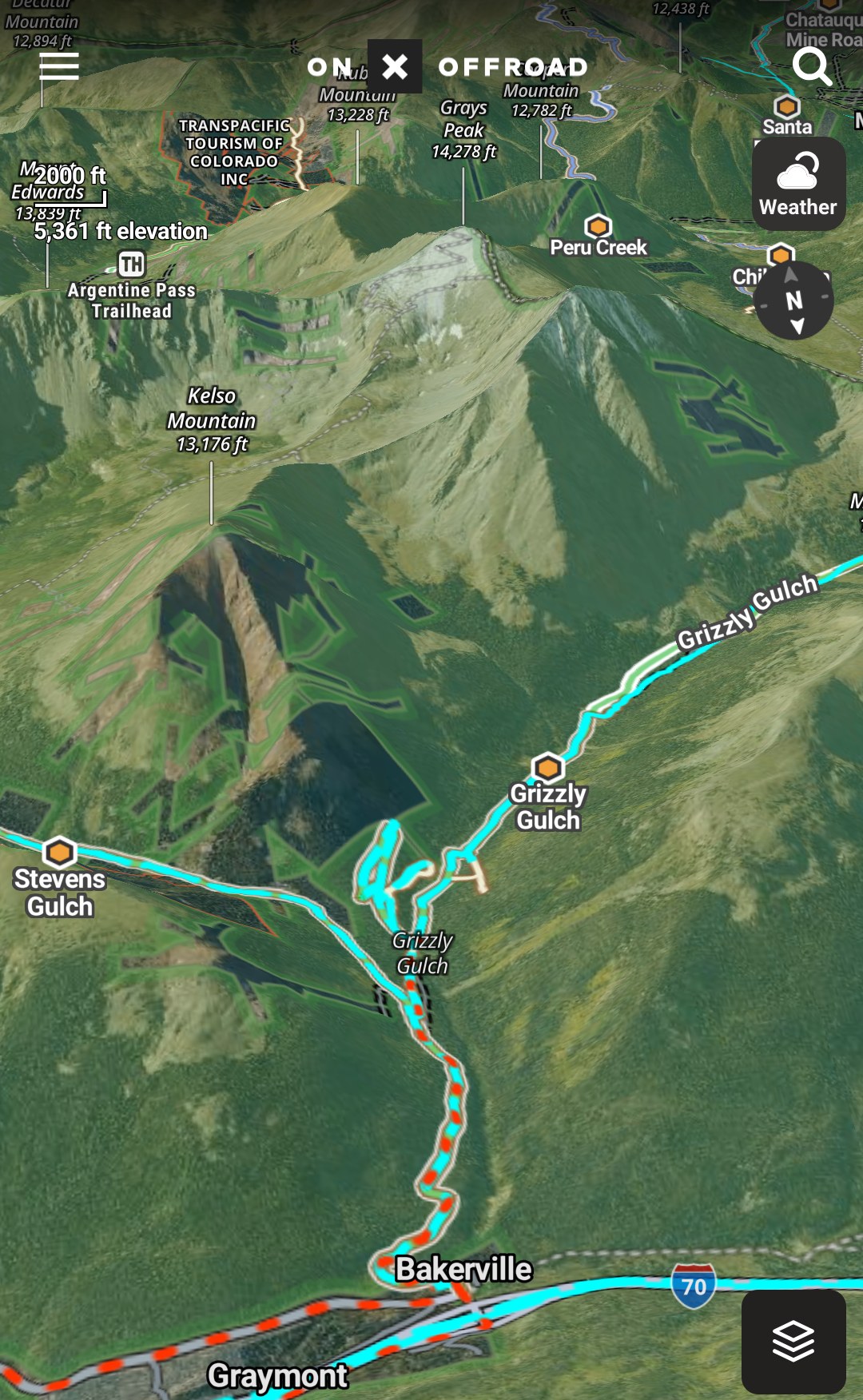
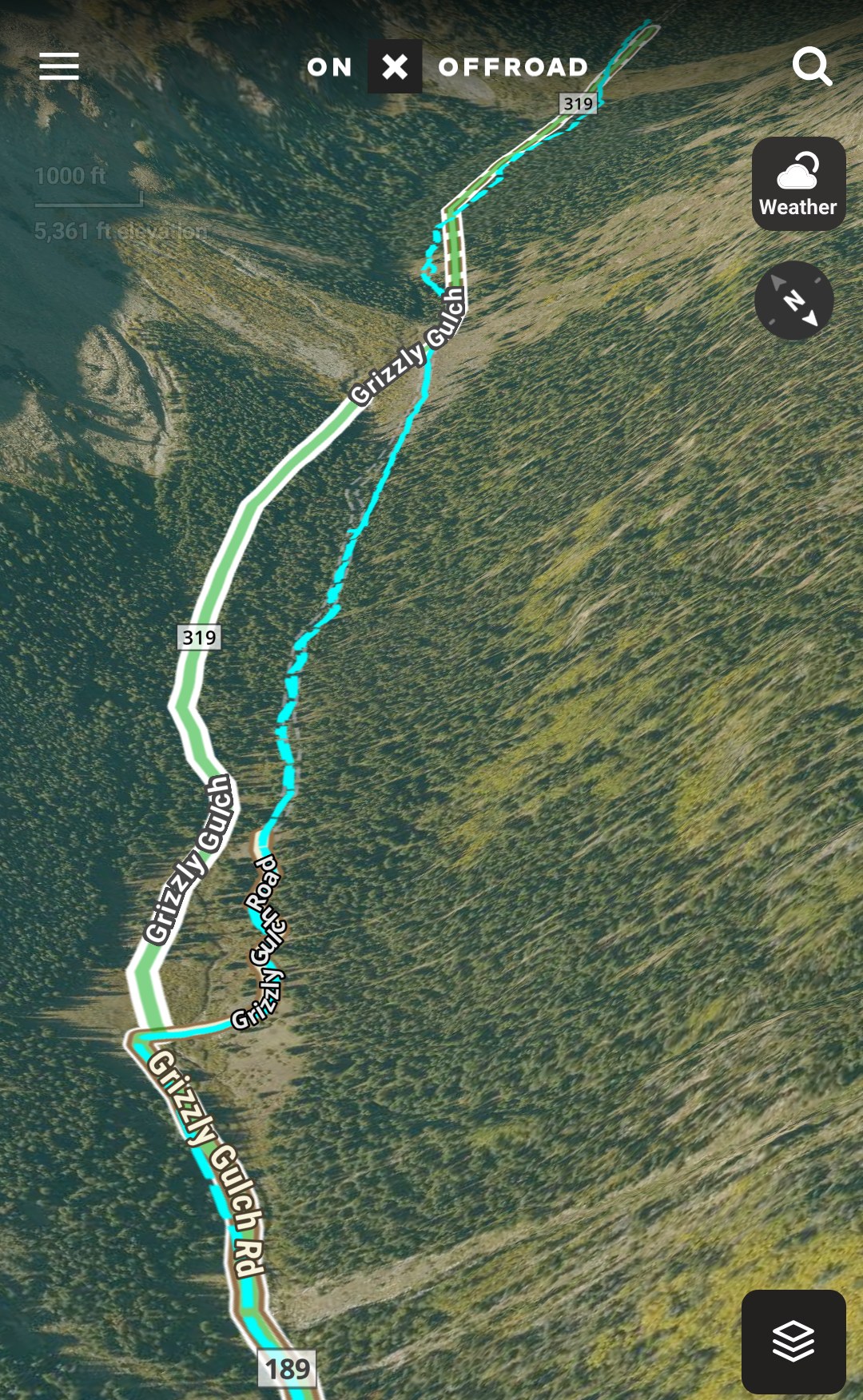
That's our October 24 run in 3D: Stevens Gulch and Grizzly Gulch below Grays Peak, with our track in blue. The second view follows our track up Grizzly Gulch into the trees.
OnX's 3D maps let you tilt and rotate the map to see the terrain from different angles, with your waypoints and tracks still on it. They work offline too, as long as you saved the offline map first.
If you don't have Starlink, download before you lose signal. OnX says every map layer works on an offline map, land boundaries included, and your phone's GPS keeps following you.
Know the land around the trail
OnX shows property lines and different information about the land you're on, which is nice to see. It also has mining claims and other useful information.
You can see some of it on the San Juans map above: the BLM land, and the Mount Sneffels Wilderness, marked no motorized use. Private land boundaries come with OnX's Elite membership.
Bring the track home
Most of all, we use OnX to collect trail data. We record our runs in it, and those tracks draw the routes on our Trail Map and in our trail logs.
That took some learning. Most of our tracks from Moab in April were lost while we were still figuring the app out. On Kelly Flats in October, OnX wasn't recording when we started up the trail, so we stopped and got it going again.
Once it's recording, the fine details of location and time are easy to find: how long it took to air down, how long we stopped at an overlook, and exactly where it was.
The tracks also help us sort our videos and file them into the proper places, which helps with video editing. I have AI do the sorting based on when each video was taken, and I have a GPS remote for our DJI cameras too. The same trail information and times help put our photos in the right places on this site.
Bring friends along
OnX has location sharing: one person starts a session and texts out an invite link, and up to 10 people show up on the same map. Any membership level can join, and it needs cell service.
We haven't been able to test it out with others yet, but it seems like a cool feature.
Trails Offroad is still where our planning starts. OnX is the map we drive by, and the record we bring home.
Want to see where the tracks go? The recorded tracks on our Trail Map come from OnX, and you can follow along on YouTube at @Adventures2RantaBout.
Not a paid post, and we have no affiliation with OnX at all. Our first year came free through a Ford promotion with our F-150, and we plan to pay for it ourselves after that. We use it, and we just want to share how we do what we do.